

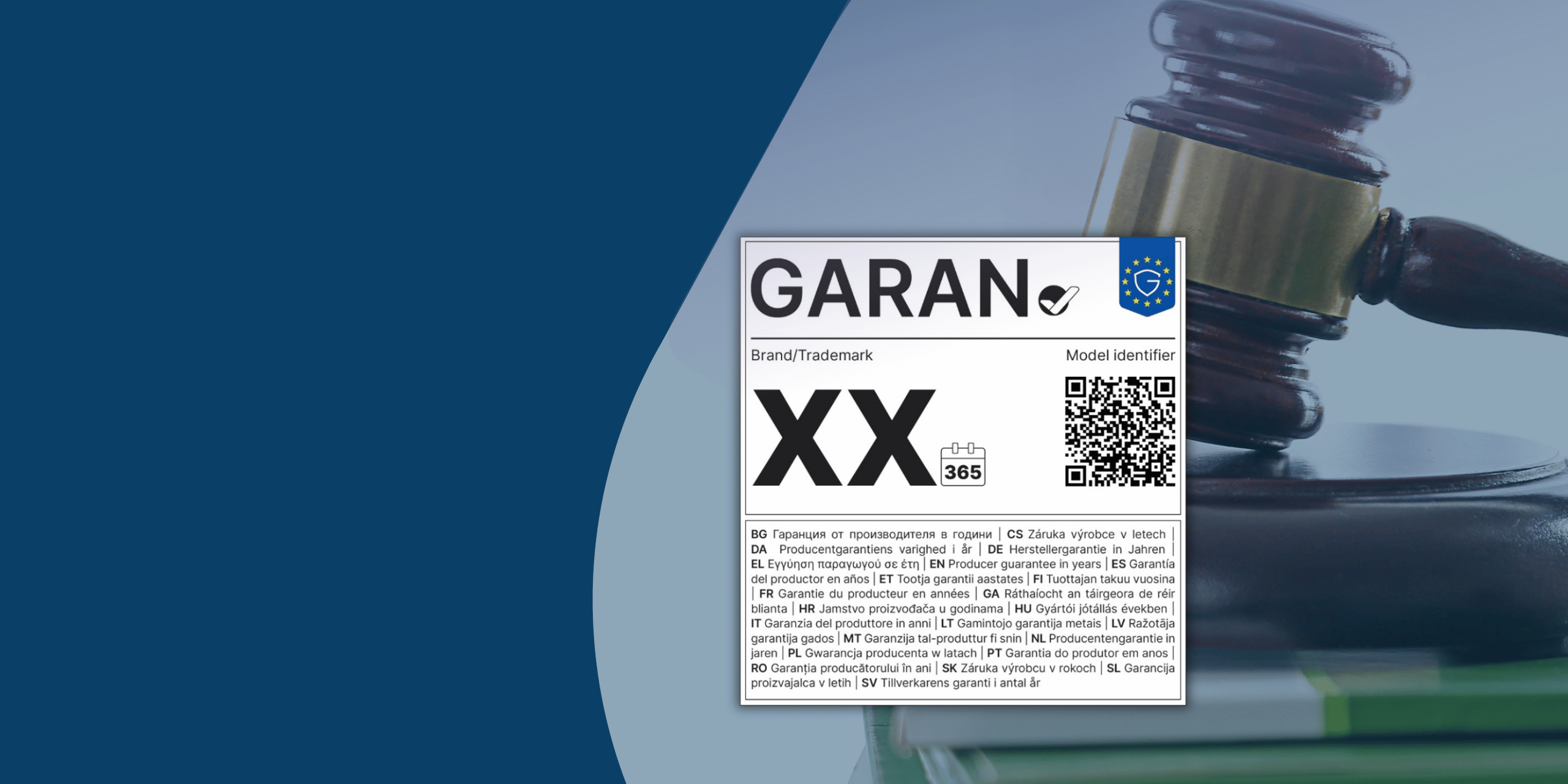
As a webshop owner, whether you run on Magento or Shopware, you regularly have to deal with new European regulations. Soon an important new directive will come into effect regarding consumer guarantees: the GARAN label and EU legal guarantee notice. What exactly does this entail and are you required to implement it? In this article, we’ll summarize the key facts for you.
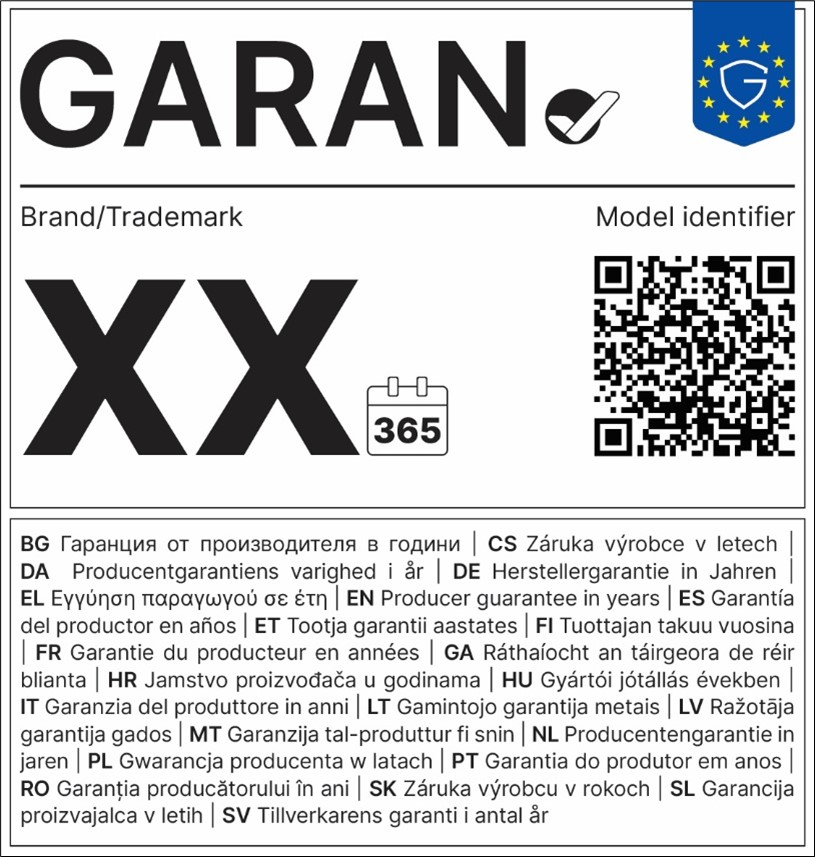
What is the GARAN label?
The European Union wants to inform consumers better and more clearly about their warranty rights. To this end, two new, harmonized elements are being introduced:
- The ‘legal guarantee notice’: A standardized text that points out to consumers in the EU their statutory warranty rights. This text is static and identical for the entire webshop (at the checkout).
- The GARAN label: A specific and visual label that may vary per product. This label applies only when the manufacturer (so not you as a seller) a free commercial sustainability guarantee from more than two years offers, which also covers the entire product.
The GARAN label shows at a glance the brand name, a model ID, and the duration of the warranty in years. Additionally, it contains a fixed QR code that links to an EU portal on consumer rights. (The name ‘GARAN’ was chosen because in many EU languages it directly evokes the word ‘warranty’).
Is it mandatory?
Yes. The rules stem from the Empowering Consumers Directive (EU 2024/825) and the implementing regulation (EU 2025/1960). As soon as a manufacturer meets the criteria (> 2 years free warranty) and provides this information to you as a seller, you are obliged to display the GARAN label on the product and on the order confirmation. The general ‘legal guarantee notice’ must also be included in the billing process as a mandatory requirement.
Who is this label for?
These new requirements apply to all sellers who sell physical goods to consumers (B2C) within the EU. It does not matter in which European country you are located or where the buyer is located, as long as the sale takes place within the EU.
Direct your webshop exclusively for business customers (B2B)? Then you are generally exempt from this requirement.
When should this be converted?
The legislation comes into effect on 27 September 2026.
Please note: The European Union does not apply any transitional period in this regard (grace periodThis means that your webshop must comply with the new display requirements from day one. Since the research (which products fall under this?) can take a lot of time, it is wise to start with this as soon as possible.
What does this mean for your webshop platform?
How you technically solve this depends heavily on the software your webshop runs on:
- Shopware: Shopware is at the forefront of this transition and has built native support into the version from the start. 6.7.14 (this feature is also available as a backport for version 6.6). In the management environment, you can easily configure the product-specific Guarantee (GARAN Label) Start the process and specify the number of months. The platform then automatically ensures that the mandatory labels appear on the product page, in the shopping cart, during checkout, and in the order confirmation emails.
- Magento (Adobe Commerce): For Magento, the chances are high that these very specific EU regulations will not be directly included in the core or will only become available later. You will have to rely on third-party extensions or custom development for this. An extension is already available that allows you to display GARAN labels: https://github.com/solutioo365/magento-garan. Consult with your development partner in good time so that they can integrate this label into your product pages, checkout, and transactional emails.
How can I set the GARAN label for products in Shopware?
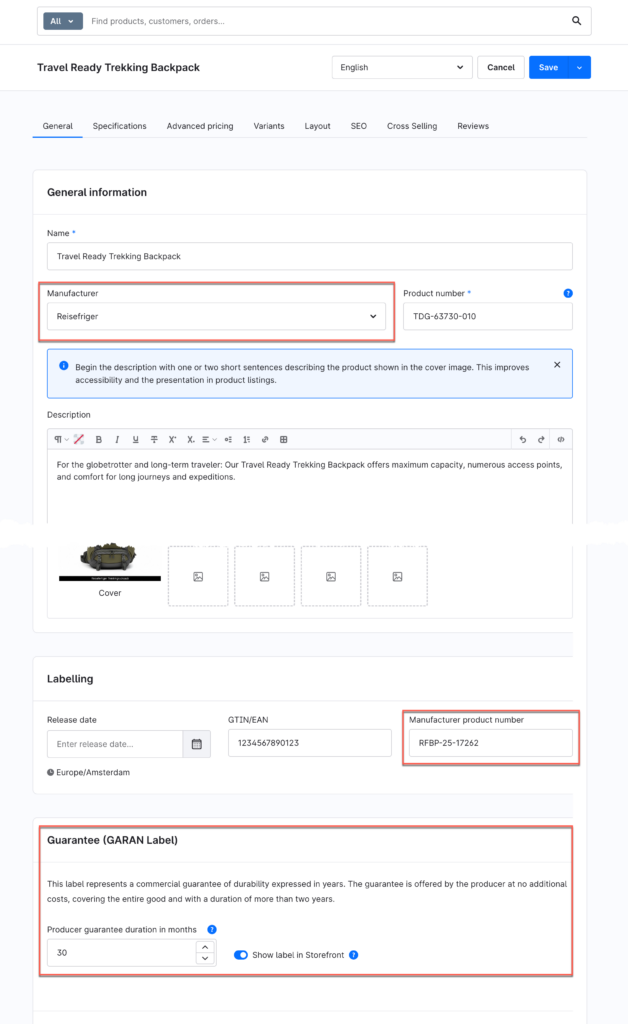
Warning! This feature is available starting with 6.7.14.0. Make sure that the product includes the manufacturer, the manufacturer's product number (+ EAN if applicable), and the warranty period.
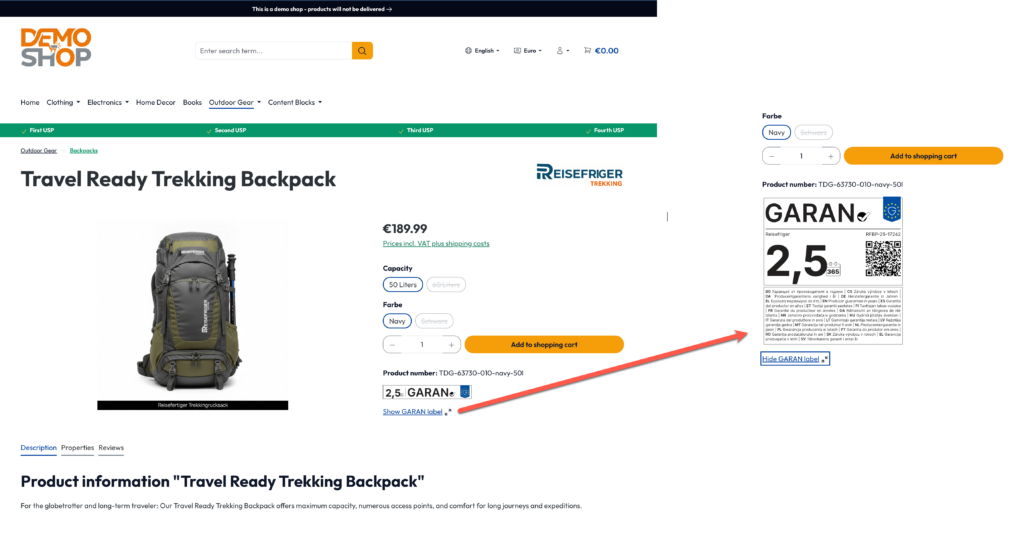
The label will then automatically appear next to the product in the webshop and comply with the new EU regulations. The label will then be displayed next to the product throughout the checkout process (checkout cart, checkout, email, etc.).
Where can I find more information?
Do you want to read the exact legal texts, view the designs of the label, or delve into the technical Shopware documentation? Then check out these official sources:







 EN
EN  NL
NL  MK
MK